How to Prevent CAPTCHAs When Capturing Screenshots
Screenshot Scout is designed to capture screenshots ethically, which means we don't try to bypass or circumvent protective measures on the site's side, including CAPTCHAs, by default. Because of this, you may occasionally see a CAPTCHA captured in the screenshot instead of the intended page's content when using our website screenshot API.
If you constantly experience CAPTCHAs when using Screenshot Scout, there are ways you can reduce or even prevent CAPTCHAs altogether:
- Use Web Unlocker API by Bright Data
- Use residential proxies
- Use the country option
Note that when you use a third-party service as a proxy with Screenshot Scout, you will incur additional charges for each screenshot you capture.
Web Unlocker API by Bright Data
Using Web Unlocker API by Bright Data is by far the most reliable way to reduce CAPTCHAs when using Screenshot Scout. To start using it, follow these steps:
-
Create an account with Bright Data.
-
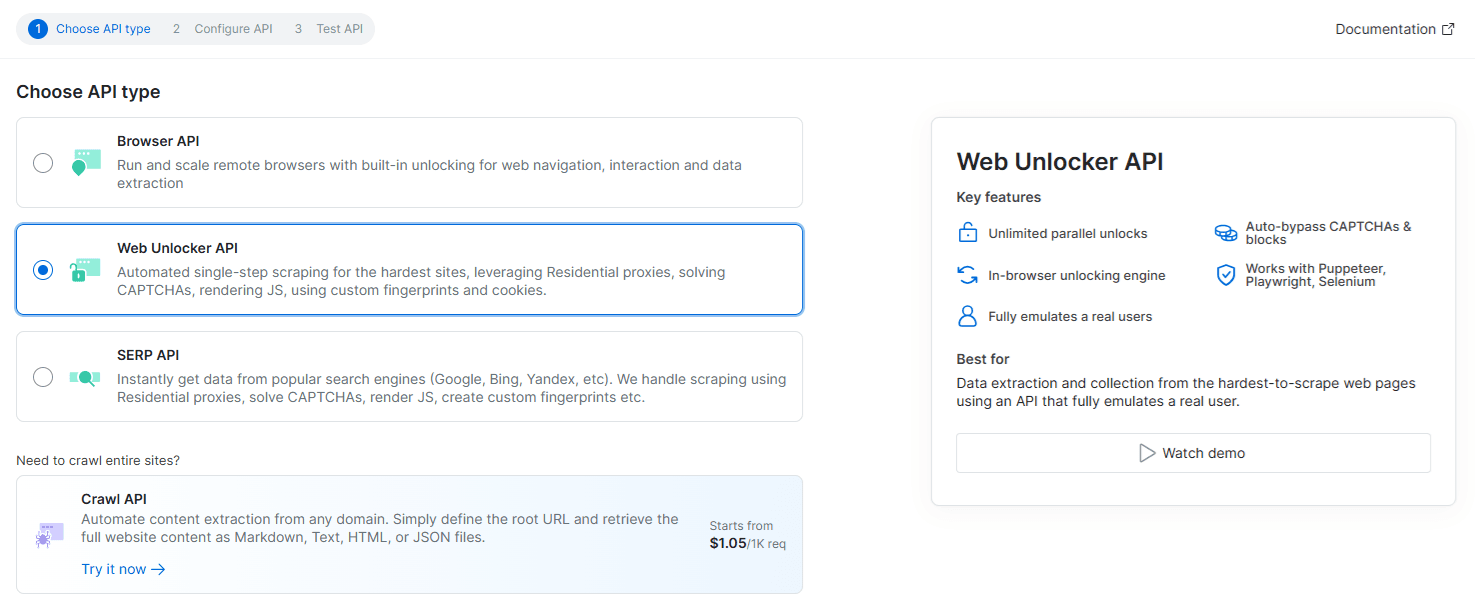
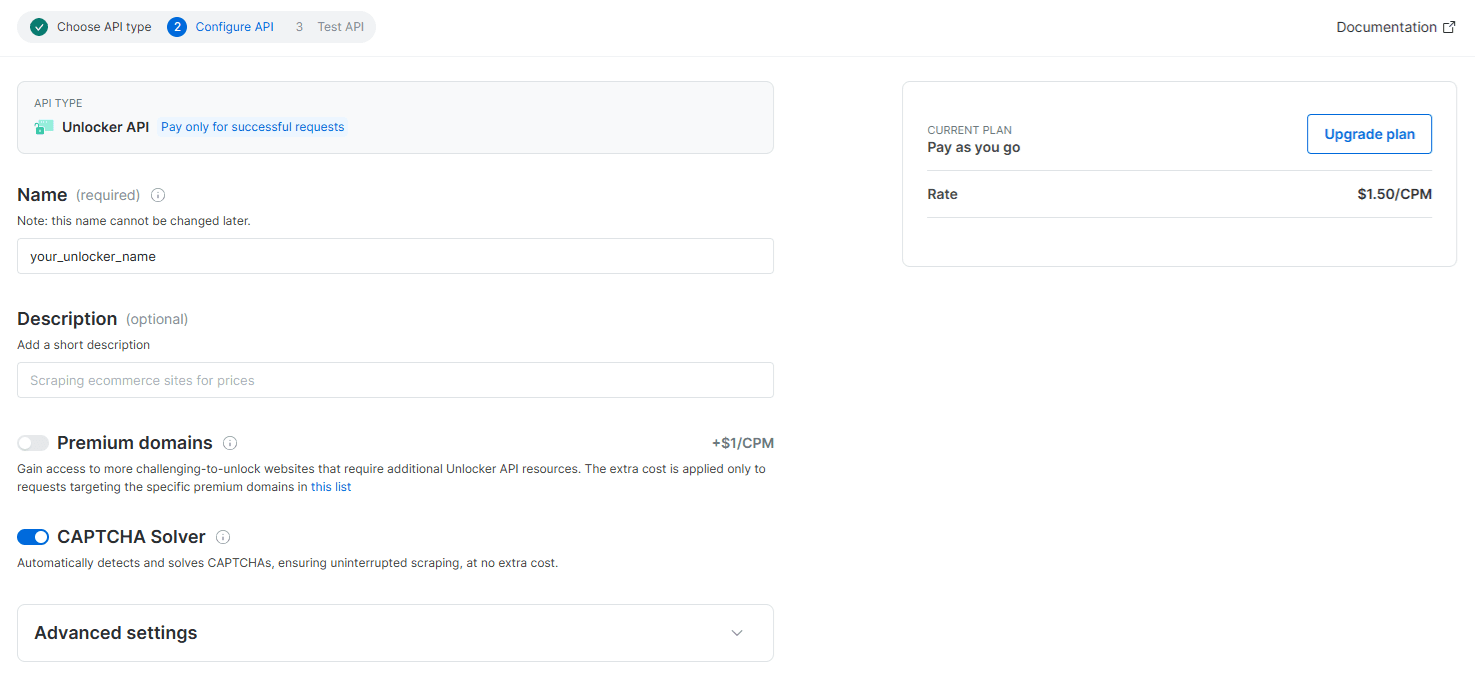
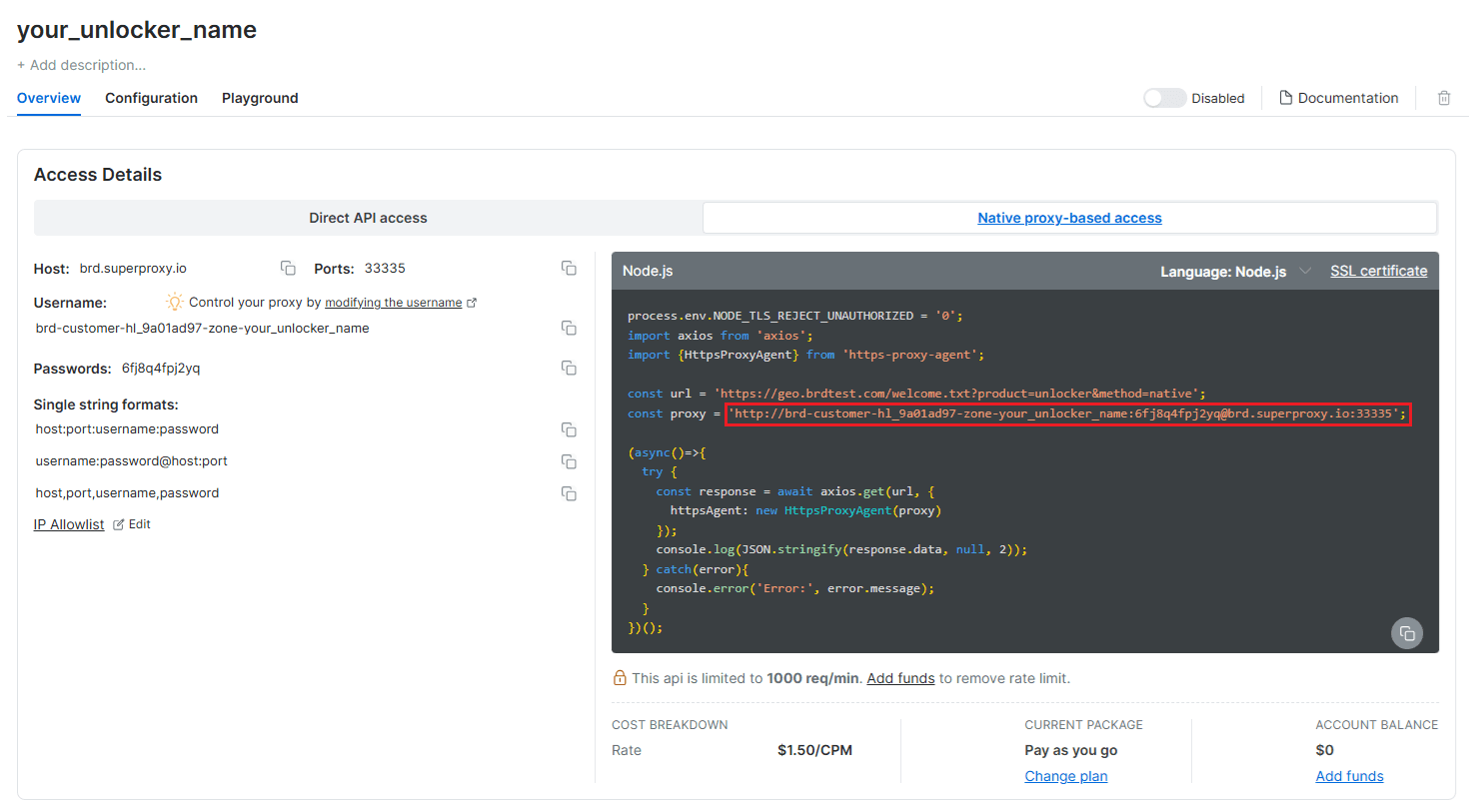
Create a Web Unlocker API and copy the proxy URL.
-
Use the Web Unlocker API proxy URL you obtained in step 2 in the
proxyoption in the request URL.
Request URL example (unencoded for readability):
https://api.screenshotscout.com/v1/capture?access_key=YOUR_ACCESS_KEY&url=https://example.com/&proxy=http://brd-customer-hl_9a01ad97-zone-your_unlocker_name:6fj8q4fpj2yq@brd.superproxy.io:33335Residential proxies
Although residential proxies are not designed to prevent CAPTCHAs specifically, using a third-party residential proxy service may sometimes reduce CAPTCHAs. To start using residential proxies, follow these steps:
- Sign up with a residential proxy service and copy the proxy URL. We recommend using Evomi.
- Use the obtained proxy URL in the
proxyoption in the request URL.
Request URL example (unencoded for readability):
https://api.screenshotscout.com/v1/capture?access_key=YOUR_ACCESS_KEY&url=https://example.com/&proxy=http://user:pass@proxy.example.com:3128Country option
If you are on a paid plan with Screenshot Scout, you can use the country option. Whenever you provide the country option in the request URL, we will navigate to the requested URL via a proxy in the provided country. While this option is not intended for preventing CAPTCHAs, we have found that using it reduces CAPTCHAs in many cases.
Request URL example (unencoded for readability):
https://api.screenshotscout.com/v1/capture?access_key=YOUR_ACCESS_KEY&url=https://example.com/&country=US